
Commerce
Headless commerce on your own instance
Products, carts, checkout, and an admin — on your instance. You pay for compute, not per order.
TemplatesMedusa
What you get
A private Medusa, packaged to ship
Headless commerce on your instance — Postgres, Valkey, uploads, and the public URL are wired at deploy.
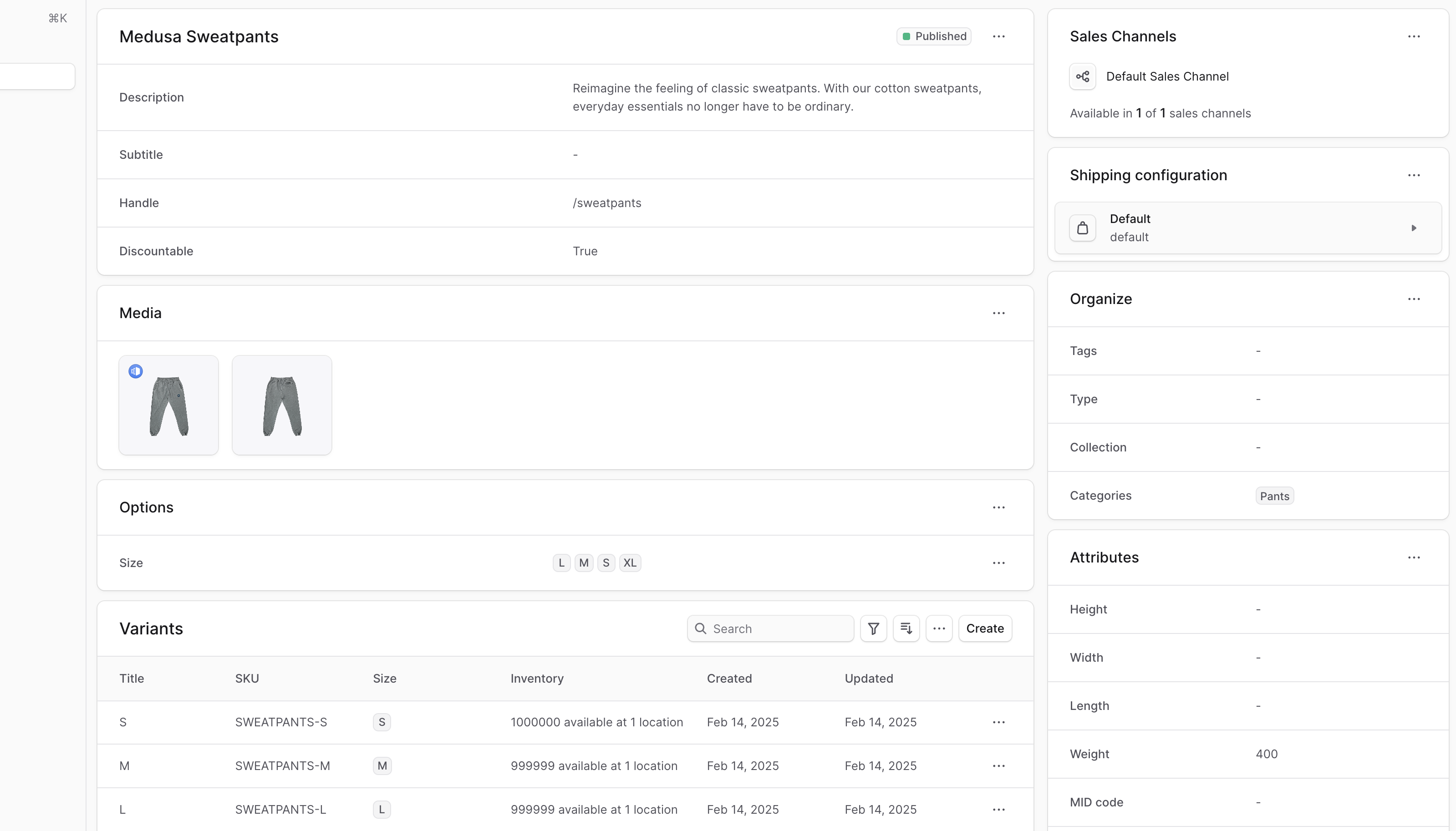
Products and variants
Catalog, pricing, and inventory live in admin. Variants and options stay on the same product.
Carts and orders
The Store API handles carts, checkout, and orders. Your storefront talks to this instance.
Admin at /app
The Medusa 2 admin ships with the backend. First boot creates the admin from the template defaults — rotate that password.
HTTPS web access
Open admin on a public HTTPS hostname. Attach your own domain when you want a branded URL.
Dedicated instance
Products, orders, and customers stay on this instance — not in a shared vendor-managed account.
Your storefront
This template is the backend. Attach a Next.js storefront, set STORE_CORS, and create a publishable API key.
See Medusa in action
Deploy in seconds
One click. Postgres and Redis pre-wired.
Pick the Medusa template. StackBlaze creates the backend, admin, Postgres, and Valkey, sets the public URL, and gives you a hostname.
This stack
Web
Medusa server
PostgreSQL
managed database · TCP:5432
Valkey
managed cache · TCP:6379
platform SMTP when the pipeline has mail
- Stack
- Medusa 2 backend + admin + PostgreSQL + Valkey
- First login
- Open /app. Sign in with the admin created at deploy.
- Files
- Product images sit on a shared volume
After you deploy
- 1
Wait for first boot
Migrations run on start. That can take several minutes. The hostname is on the app page after deploy.
- 2
Sign in at /app
Admin lives at /app, not the root URL. Use the email and password set at deploy, then change that password.
- 3
Add a catalog, then a storefront
Create products in admin. For a custom storefront, add a publishable API key under Settings and point STORE_CORS at that origin.
Running Medusa on StackBlaze
How the instance is wired
Medusa, Postgres, and Valkey ship together. The public hostname is the API and admin. Uploads live on a volume.
Postgres holds the catalog
Products, orders, and customers live in the attached database. Restart the app and the store is still there.
Valkey is the cache and queue
The app reads cache and events from Valkey. It speaks the Redis protocol. You do not add a second Redis.
Admin and API share one URL
The public hostname is the Store API, the Admin API, and /app. CORS is set to that hostname so admin cookies work.
Add CPU when first boot is slow
Migrations run on first start and need headroom. Raise RAM and CPU on the web app from the dashboard. Postgres and Valkey scale on their own.
Compare
Medusa on StackBlaze vs hosted commerce
| Feature | Medusa on StackBlaze | Hosted commerce |
|---|---|---|
| Data location | Products, orders, and customers live on your StackBlaze instance. | Catalog and orders stay on the host platform. |
| Install model | One-click template. Admin account at deploy. | Create a vendor account and use their shared platform. |
| Storefront | Your own Next.js (or any) storefront against this API. | Limited to the host’s themes and apps. |
| Operations | You control updates, scale, backups, and the instance lifecycle. | The vendor operates the platform and the limits. |
| Billing | Compute, storage, and bandwidth. No per-order fee. | Usually priced per order, transaction, or plan. |
This template is Medusa 2 plus Postgres and Valkey. Admin is at /app. The first account is created at deploy.
FAQ
Common questions
Open the public URL and go to /app. Sign in with the admin email and password from deploy (defaults are in the template). Change that password. First boot can take several minutes while migrations run.
Ready to deploy Medusa?
One click. Dependencies pre-wired. No infrastructure to manage.