
Work
Run CloverHR on your own instance
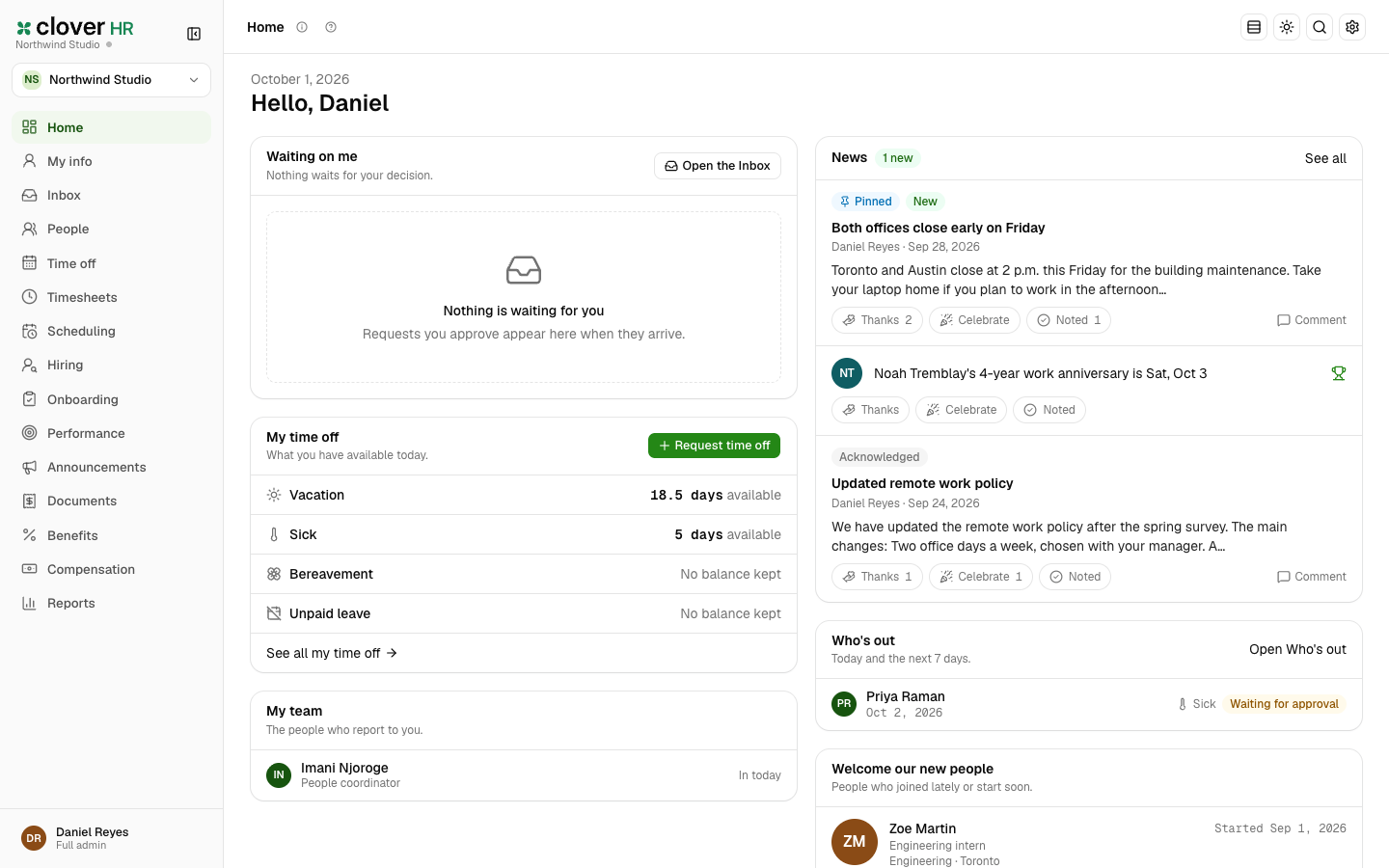
Keep everything about your people in one place: profiles, time off, timesheets, hiring, onboarding, benefits, performance, and reports. Open-source HR for small and mid-sized teams in the United States and Canada. A self-hosted alternative to BambooHR, without payroll: it exports what your payroll or accounting software needs. You own the instance. You pay for compute — not a vendor plan.
TemplatesCloverHR
What you get
A private CloverHR, packaged to ship
CloverHR on your instance — PostgreSQL, Email, and the public URL are wired at deploy.
Dedicated instance
Keep everything about your people in one place: profiles, time off, timesheets, hiring, onboarding, benefits, performance, and reports.
Public HTTPS URL
The hostname is on the app page after deploy. Open it to finish setup. Attach a custom domain when you want a branded address.
Managed dependencies
PostgreSQL and Email ship with the template. You do not install them yourself.
Your accounts
The first login is created on this instance. Invite the team from inside the app.
See CloverHR in action
Deploy in seconds
One click. Dependencies pre-wired.
Pick the CloverHR template. StackBlaze creates the app, PostgreSQL, Email, and gives you a hostname.
This stack
Web
CloverHR server
PostgreSQL
managed database · TCP:5432
platform SMTP when the pipeline has mail
- Stack
- CloverHR + PostgreSQL + Email
- First login
- Finish the first-run steps on the public URL
- Address
- HTTPS hostname is ready at deploy
After you deploy
- 1
Open the public URL
The hostname is on the app page after deploy.
- 2
Finish first-run setup
Pulls the prebuilt ghcr.io/stackblaze-adam/cloverhr image.
- 3
Use your own domain when you are ready
The stackblaze.app hostname works immediately. Attach a custom domain from the dashboard for a branded address.
Running CloverHR on StackBlaze
How the instance is wired
CloverHR and PostgreSQL and Email ship together. The public hostname is the app.
The app is the public URL
Editor, login, and callbacks share the hostname StackBlaze assigns. A custom domain replaces it without a rebuild.
Dependencies stay attached
PostgreSQL and Email are part of this template. Restart the app and the data store is still there.
Scale from the dashboard
Raise RAM and CPU on CloverHR when it gets busy. Attached databases scale on their own.
You operate the instance
Updates, backups, and the lifecycle are yours. There is no vendor seat cap on this template.
Compare
CloverHR on StackBlaze vs a hosted plan
| Feature | CloverHR on StackBlaze | Hosted plan |
|---|---|---|
| Data location | CloverHR data lives on your StackBlaze instance. | Data lives in vendor-operated infrastructure. |
| Install model | One-click template. First account on the public URL. | Create a vendor account and use their shared platform. |
| Customization | Your instance, your settings, your domain. | Limited to the host’s plan and runtime rules. |
| Operations | You control updates, scale, backups, and the instance lifecycle. | The vendor operates the platform and the limits. |
| Billing | Compute, storage, and bandwidth. No per-seat fee. | Usually priced per seat, task, or plan. |
This template is CloverHR + PostgreSQL + Email.
FAQ
Common questions
Pulls the prebuilt ghcr.io/stackblaze-adam/cloverhr image.
Ready to deploy CloverHR?
One click. Dependencies pre-wired. No infrastructure to manage.