
Scheduling
Bookings on your own instance
Deploy Cal.com with managed Postgres and a public HTTPS URL. You own the calendar. You pay for compute — not per booking.
TemplatesCal.com
What you get
A private Cal.com, packaged to ship
Event types and booking pages on your instance — Postgres and the public URL are wired at deploy.
Event types and bookings
Publish the times you take, and let people book them. The schedule lives on this instance.
First user on the public URL
Open the hostname and create the account. There is no shared vendor login.
Public HTTPS URL
NEXT_PUBLIC_WEBAPP_URL and NEXTAUTH_URL are your https://…stackblaze.app hostname so booking links resolve.
Dedicated instance
Availability, guests, and booking data stay on this instance — not in a shared vendor account.
Your workflows
Event types, buffers, and how the page looks are settings on this instance.
Managed Postgres
Users and bookings live in CloudNativePG. You do not add a database yourself.
See Cal.com in action
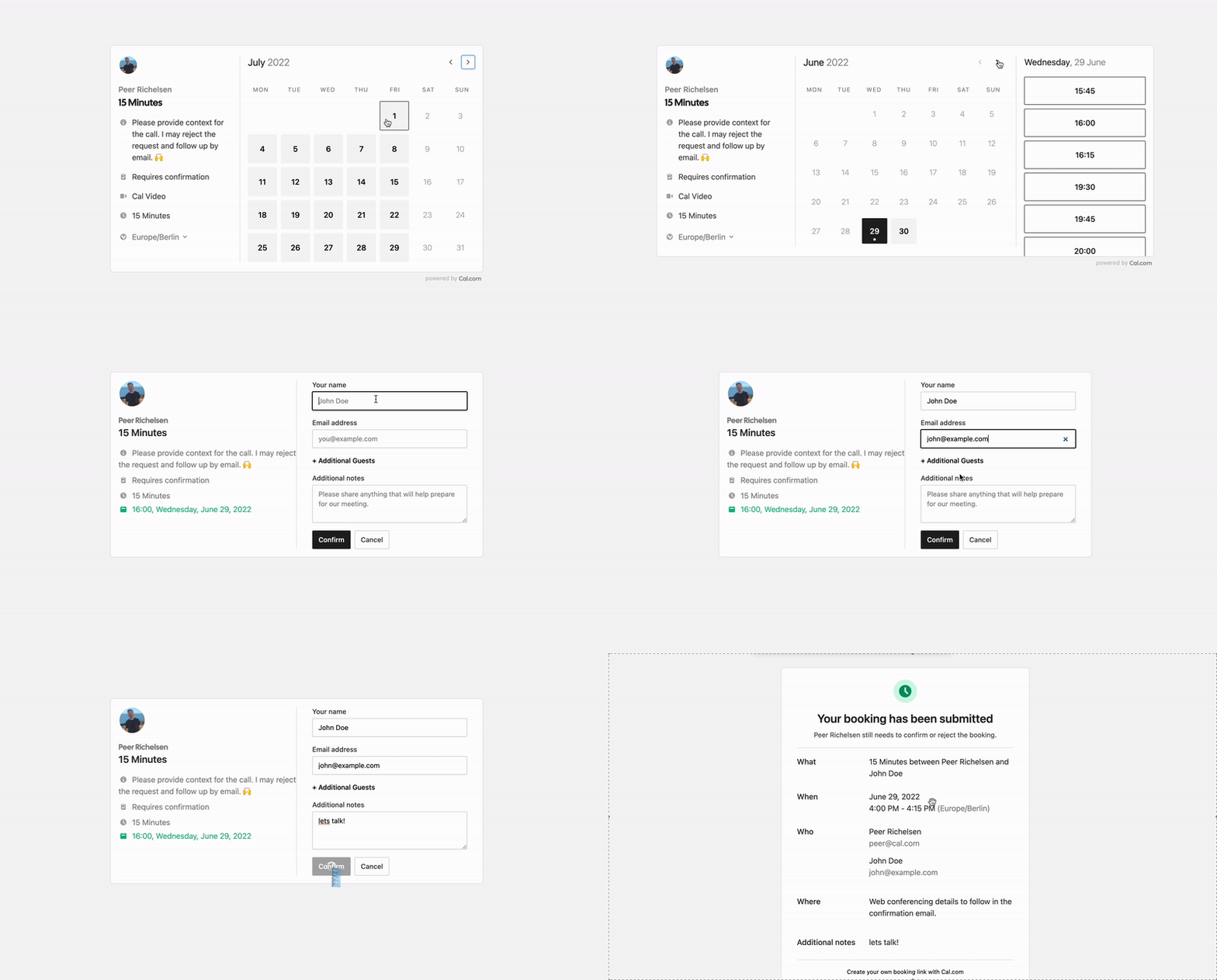
Deploy in seconds
One click. Postgres pre-wired.
Pick the Cal.com template. StackBlaze creates the app and Postgres, sets the public URL, and gives you a hostname.
This stack
Web
Cal.com server
PostgreSQL
managed database · TCP:5432
platform SMTP when the pipeline has mail
- Stack
- Cal.com + PostgreSQL
- First login
- Create the first user on the public URL
- Address
- HTTPS hostname is already the booking base
After you deploy
- 1
Open the public URL
The hostname is on the app page after deploy. That URL is already the webapp and auth base.
- 2
Create the first account
Finish signup on that page. That user owns the instance until you invite others.
- 3
Publish an event type
Set your availability and share the booking link. Rotate NEXTAUTH_SECRET and CALENDSO_ENCRYPTION_KEY before the page is public.
Running Cal.com on StackBlaze
How the instance is wired
Cal.com and Postgres ship together. The public hostname is the app, the login, and the booking pages.
Postgres holds the calendar
Users, event types, and bookings live in the attached database. Restart the app and the schedule is still there.
The hostname is the booking link
NEXT_PUBLIC_WEBAPP_URL is the public URL. Attach a custom domain from the dashboard when guests should book on your domain.
Secrets are yours to rotate
NEXTAUTH_SECRET and CALENDSO_ENCRYPTION_KEY are set so the app boots. Replace them with random values before real bookings.
Add CPU when the page gets busy
Raise RAM and CPU on the app from the dashboard. Postgres scales on its own.
Compare
Cal.com on StackBlaze vs hosted scheduling
| Feature | Cal.com on StackBlaze | Hosted scheduling |
|---|---|---|
| Data location | Bookings and availability live on your StackBlaze instance. | Calendar data lives in vendor-operated infrastructure. |
| Install model | One-click template. First account on the public URL. | Create a vendor account and use their shared platform. |
| Booking page | Your hostname, your event types, your domain. | Limited to the host’s branding and plan. |
| Operations | You control updates, scale, backups, and the instance lifecycle. | The vendor operates the platform and the limits. |
| Billing | Compute, storage, and bandwidth. No per-booking fee. | Usually priced per seat or per plan. |
This template is Cal.com plus Postgres. The first user is created on the public URL.
FAQ
Common questions
Open the public URL and create the first account there. There is no pre-seeded password. That user owns the instance.
Ready to deploy Cal.com?
One click. Dependencies pre-wired. No infrastructure to manage.